What is a Website?
A website is a bunch of pages stored on a computer somewhere else, which your computer asks to see.
Think of it like this
It's like a book kept in a library far away. You ask for a page, and the library sends you a copy to read - the original stays on the shelf, ready for the next person who asks.
What's happening
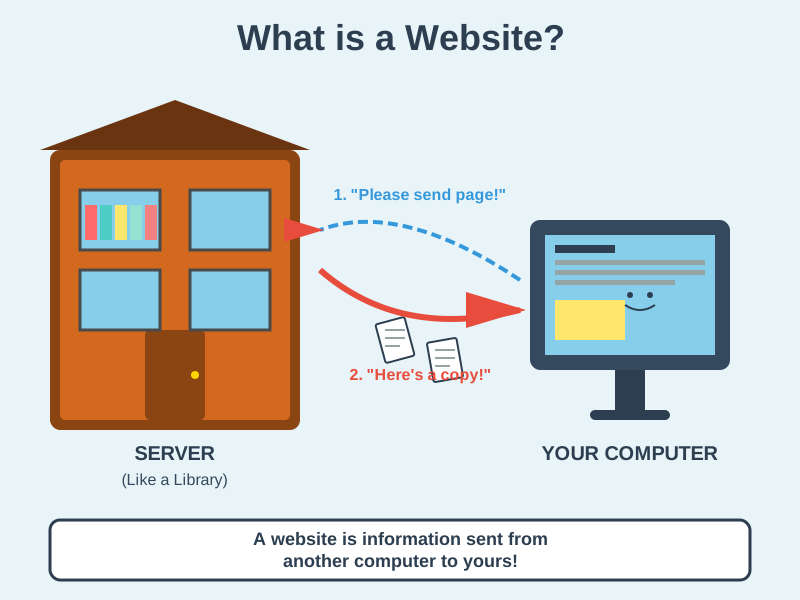
Summary
A website is a collection of pages and files stored on a server; your browser asks for them by address, then assembles the HTML, CSS, and JavaScript into the page you see.
A Closer Look
A website is a collection of web pages, images, and other files that live on a server and share a domain name, like google.com. When you type that address or click a link, your browser looks up which server holds the site, asks it for the page, and receives files back - usually HTML for the content, CSS for the design, and JavaScript for anything interactive. Your browser then puts them together into the finished page on your screen.
Some sites are static: every visitor gets the same ready-made files, like a printed leaflet - this site is one. Others are dynamic: the server builds each page on the spot, often pulling information from a database, which is how a shop can show your basket or a news site its latest headlines. Either way, the pages don't live on your device permanently; your browser just keeps a temporary copy, called a cache, so pages you revisit load faster.
Common Misconceptions
- A website and a web app aren't always different - a complex website is often just called a web app.
- You don't need to know coding to create a website - many tools let you build one visually.
- A website doesn't disappear when you close the tab - it stays on the server, ready for the next visitor.
How it connects
A website is where HTML, CSS, and JavaScript all come together:
Try it yourself
Press F12 on any website to open DevTools. Switch between the Elements, Styles, and Console tabs to see the HTML, CSS, and JavaScript all working together.