What is a Server?
A server is a computer that's always turned on and ready to send websites or data to other computers.
Think of it like this
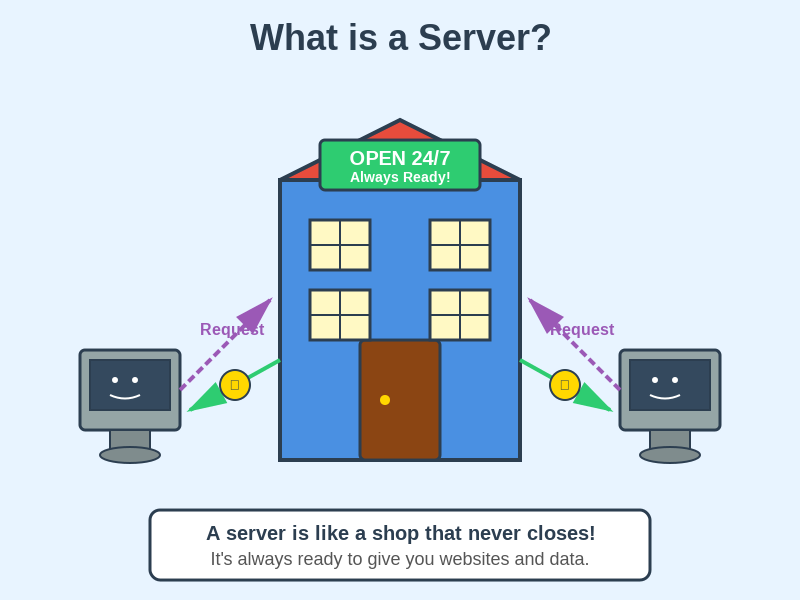
It's like a shop that never closes. Customers (your devices) walk up to the counter and ask for something - a web page, a video, an email - and the shopkeeper finds it and hands it over, whether there's one customer or thousands at once.
What's happening
Summary
A server is any computer whose job is to wait for requests and answer them - sending web pages, files, or data to the devices that ask.
A Closer Look
A server is a computer that stores information and sends it to other computers when they ask for it. The devices doing the asking - your phone, laptop, or smart TV - are called clients, and this request-and-response pattern, known as the client-server model, is how most of the internet works. When you visit a website, your browser asks a web server for the page's files, and the server sends them back.
Most servers live in data centres: huge buildings filled with racks of computers, with backup power, cooling, and very fast internet connections. They usually have no screen or keyboard and are managed remotely. One physical machine can run many "virtual" servers at once, and big services spread their work across thousands of machines, so if one fails another takes over. Different servers specialise in different jobs - web servers send pages, mail servers handle email, database servers store data, and game servers keep track of everyone in a multiplayer match.
When a website or app is down, it's usually a server problem rather than anything wrong with your device. The server might have crashed, be undergoing maintenance, or be overwhelmed by more requests than it can handle at once - which is why ticket sites sometimes struggle the moment a popular concert goes on sale. To cope, large services use load balancers, which act like the host at a busy restaurant, sending each new visitor to whichever server has room. Many also keep copies of their content on servers spread around the world, known as a content delivery network, so you're answered by one nearby rather than one on another continent. That shorter distance is a big part of why popular sites feel fast wherever you are.
Common Misconceptions
- A server doesn't have to be a massive machine - technically your laptop could act as a server.
- "Server" refers to the role a computer plays, not its physical appearance.
- Servers aren't just for websites - they handle email, file storage, databases, games, and more.
Frequently asked questions
Do servers ever get turned off?
Rarely on purpose. Servers are designed to run continuously for months or years, and data centres have backup batteries and generators so a power cut doesn't take them down. They do get restarted for updates and repairs, but big services plan for this by moving the work to other machines first, so users never notice. Individual machines eventually wear out and are replaced, often while the service keeps running.
Can I run my own server at home?
Yes. Any computer can act as a server, and people commonly run home servers to store family photos, stream their own films around the house, or host a game for friends. A small, cheap computer like a Raspberry Pi is popular for this. Making a home server reachable from the wider internet takes extra setup and careful security, which is why most people rent server space from a hosting company instead.
What is the difference between a server and the cloud?
The cloud is made of servers. When people talk about storing something "in the cloud", they mean it lives on servers owned by a company such as Amazon, Google or Microsoft, which you rent or use over the internet rather than owning yourself. The servers are real machines in real buildings; the cloud is simply a way of using them without having to buy, house or look after them.
How it connects
Servers sit at the heart of how the web works:
Try it yourself
Visit example.com in a new tab - a real, minimal web page served directly from a server with no JavaScript or styling added.