What is Git?
Git is a tool that keeps track of changes you make to your code over time.
Think of it like this
It's like the save points in a video game. Every time you reach a good spot, you save - and if things go badly later, you can reload any earlier save instead of starting over. Git even lets you try something risky in a separate save slot, without touching your main progress.
What's happening
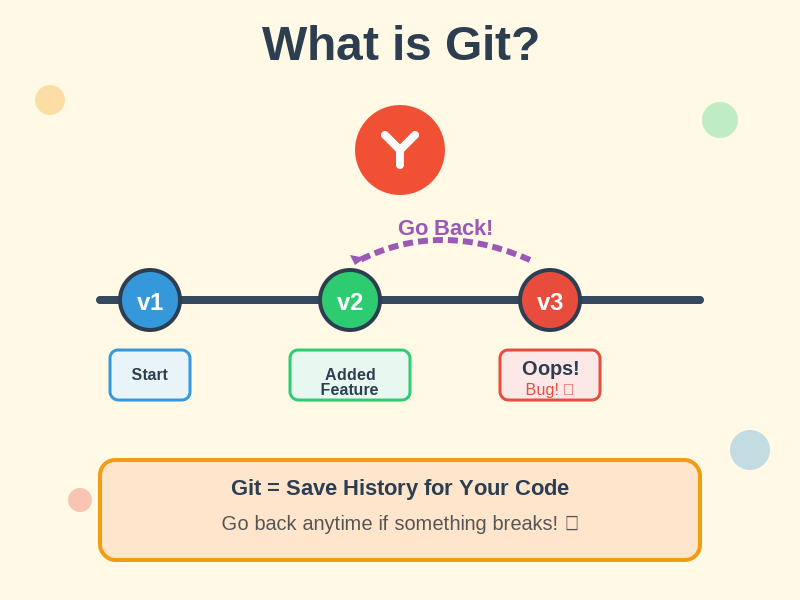
Summary
Git records snapshots of a project over time, so you can see what changed, undo mistakes, and let many people work on the same code without overwriting each other.
A Closer Look
Git keeps a full history of a project's files, especially code. Each time you reach a point worth keeping, you make a commit - a snapshot of every file, along with a short message describing what changed and who changed it. Commits line up into a timeline, so you can compare any two versions, see exactly which line changed and why, and roll back to an earlier version if something breaks.
Git's other big idea is branches. A branch is a separate line of work - say, a new feature - that you can develop without touching the main version everyone relies on. When the work is ready, it's merged back in. This is how hundreds of developers can work on the same project at the same time without overwriting each other. Every copy of a Git project holds its full history, and teams usually share one central copy on a hosting site like GitHub or GitLab, syncing their own copies with it.
Git was created in 2005 by Linus Torvalds, the creator of Linux, after the tool his team had been using to manage the Linux source code stopped being available to them for free. He wanted something fast enough to handle thousands of contributors and robust enough that history couldn't be quietly corrupted. Git achieves the second part by giving every commit a unique fingerprint (a hash) worked out from its contents and from the commit before it, so any change to old history is instantly noticeable. In everyday use the routine is simple: edit some files, choose which changes to include with git add, save the snapshot with git commit, then share it with others using git push.
Common Misconceptions
- Git is not the same as GitHub - Git is the tool you run locally, GitHub is a website that hosts Git repositories online.
- Git isn't only for teams - solo developers use it too, to track their own history and experiment safely.
- You don't have to use the command line - there are visual apps that make Git accessible without typing commands.
Frequently asked questions
Is Git free?
Yes. Git is free, open-source software that runs on Windows, Mac and Linux. Hosting sites such as GitHub and GitLab are separate businesses, but they offer free accounts that are plenty for personal projects, with paid plans aimed mainly at larger teams and companies that need extra features. You can also use Git entirely on your own computer without any online account at all.
Can Git be used for things other than code?
Yes, it can track any files, and some people use it for writing, notes, websites or settings files. It works best with plain text, because it can show exactly which lines changed between versions. Other files, such as videos, photos or Word documents, can still be stored, but Git can't show meaningful line-by-line differences for them, and keeping many versions can make a project grow large quickly.
What is a merge conflict?
A merge conflict happens when two branches have changed the same lines of the same file in different ways, so Git can't safely decide which version to keep. Instead of guessing, it pauses and marks both versions inside the file for a person to choose between or combine. It sounds alarming, but conflicts are a normal part of working in a team and are usually quick to sort out.
How it connects
Git fits into the broader picture of how code gets built and deployed:
Try it yourself
Visit any open-source project on github.com and click the Commits tab. You're looking at a real Git history - every change ever made to that project, with dates and messages.