What is a Firewall?
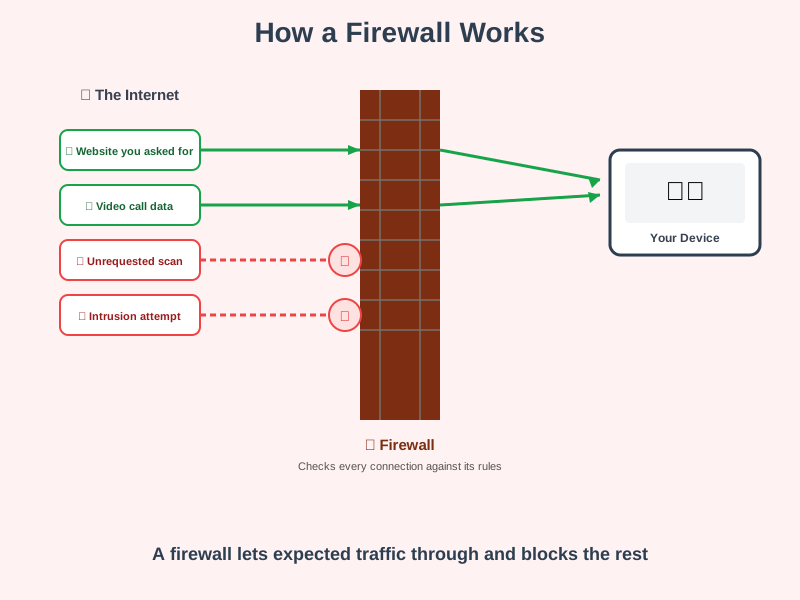
A firewall is a checkpoint that filters traffic in and out of a network or device, allowing what matches its rules through and blocking everything else.
Think of it like this
A firewall is like a security guard at a building entrance with a specific list of who's allowed in. Every visitor - every piece of network traffic - gets checked against that list. Expected visitors are waved through, and anyone who doesn't match is turned away at the door.
What's happening
Summary
A firewall sits between a device or network and the wider internet, checking every connection against a set of rules and only letting through the traffic that's supposed to be there.
A Closer Look
Firewalls make decisions based on rules like: which ports (numbered channels for different kinds of traffic) are open, which addresses are allowed to connect, and whether a connection was requested from the inside or is an unexpected attempt from the outside. Traffic that matches an allowed rule gets through; everything else is quietly dropped before it ever reaches your device.
Most people already have one running without ever configuring it. Windows ships with its firewall switched on by default, and almost every home router includes one too, automatically blocking unsolicited traffic arriving from the internet. macOS also has a built-in firewall, but it starts switched off - Mac users who want it can turn it on under System Settings → Network → Firewall.
Common Misconceptions
- A firewall doesn't protect against everything - it filters connections based on rules like address and port, but it doesn't inspect whether content that's otherwise allowed through is malicious.
- You almost certainly already have one - Windows and nearly every home router have a firewall enabled by default, with nothing to set up.
- A firewall isn't necessarily a physical box - for most home users it's software running on the router or the device itself, not separate hardware.
How it connects
A firewall is one of the basic building blocks of network defence:
Try it yourself
On Windows, search for "Windows Defender Firewall" in the Start menu and open it - you'll see it's already switched on and actively managing rules, most likely without you ever having touched it.