Cloud Storage vs Backup: What's the Difference?
Cloud storage keeps a live, synced copy of your files that updates everywhere at once; a backup is a separate snapshot from a specific point in time that protects you if something goes wrong.
Think of it like this
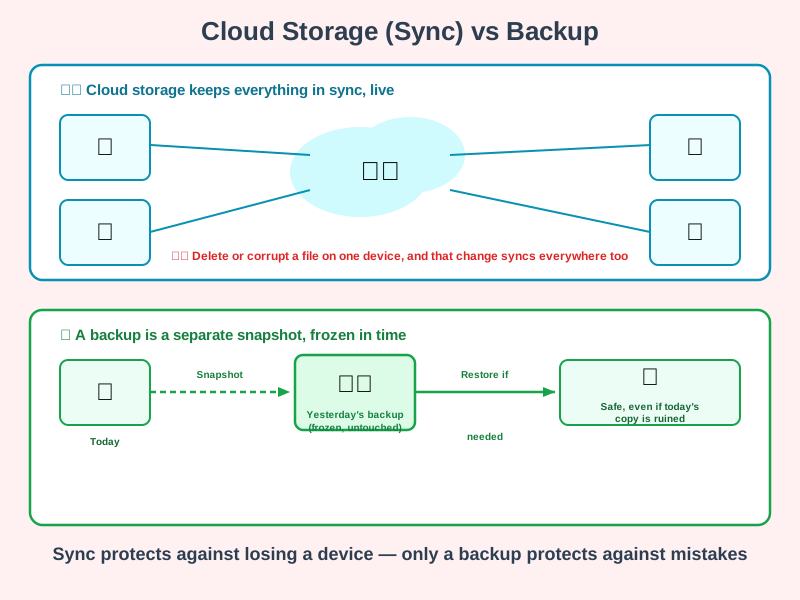
Cloud storage is like a shared whiteboard everyone can see and edit - change something and it updates instantly, everywhere. A backup is more like a photocopy taken once a day and filed away. If someone accidentally wipes the whiteboard, the live copy is gone too - you need yesterday's photocopy to get it back.
What's happening
Summary
Cloud storage syncs the same live copy of your files across your devices; a backup is a separate snapshot from an earlier point in time, kept specifically so a mistake in today's copy doesn't cost you everything.
A Closer Look
Services like Google Drive, Dropbox, and iCloud are designed for convenience: edit a document on your laptop and it's instantly the same document on your phone. That's incredibly useful, but it means the sync system faithfully copies everything - including accidental deletions, corrupted files, and ransomware that scrambles your files. If it happens on one synced device, it happens everywhere, usually within seconds.
A proper backup is deliberately kept separate from your everyday, live copy. It's taken at a specific point in time and doesn't change afterwards, so if today's version of a file turns out to be broken, you can go back to yesterday's - or last month's - and recover what you lost. Many cloud storage services now include some backup-like features, such as version history or a recycle bin, which narrows the gap - but a dedicated backup with its own retention policy is still a stronger guarantee.
Common Misconceptions
- Cloud storage on its own is not the same as a backup - sync means every device shares the same live copy, mistakes included.
- Version history and "recently deleted" folders do offer some protection, but they usually only keep a limited history, unlike a backup with its own defined retention.
- One backup isn't automatically enough - the well-known 3-2-1 rule (three copies, on two different types of storage, with one kept offsite) exists because any single storage location can fail.
How it connects
Cloud storage and backups both build on ideas from elsewhere on this site:
Try it yourself
Open your cloud storage service and look for a "version history" or "recently deleted" feature - most have one. See how far back it lets you go, and compare that to how a dedicated backup service describes its own retention policy.